Core Web Vitals Explained for Marketers: LCP, INP and CLS in Plain English
What Google's Core Web Vitals measure, the scores to aim for, why they affect conversions as well as SEO, and the fixes that usually help most.
Photo: Chris Liverani on Unsplash
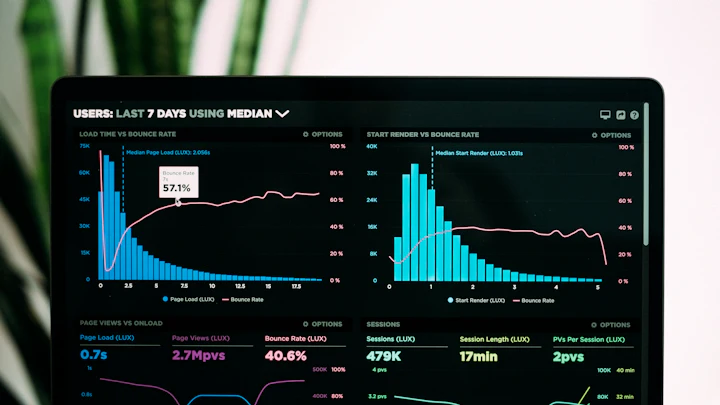
Core Web Vitals are three measurements Google uses to judge how a page feels to a real visitor: how fast the main content shows up, how quickly the page responds when you tap something, and whether things jump around while it loads. They're part of Google's page experience signals, and they track closely with whether people stay or leave.
You don't need to be a developer to understand them, but you do need to know what to ask your developer for.
The three metrics
Largest Contentful Paint (LCP): loading
LCP measures how long it takes for the biggest visible element, usually a hero image, video poster or headline block, to appear.
- Good: 2.5 seconds or less
- Needs improvement: 2.5–4 seconds
- Poor: over 4 seconds
Interaction to Next Paint (INP): responsiveness
INP replaced First Input Delay in March 2024. It looks at the delay between a visitor's interactions (taps, clicks, key presses) and the next visual update, across the whole visit.
- Good: 200 milliseconds or less
- Needs improvement: 200–500 ms
- Poor: over 500 ms
Cumulative Layout Shift (CLS): visual stability
CLS scores how much content moves around unexpectedly, like when you go to tap a button and an image loads above it, pushing everything down.
- Good: 0.1 or less
- Needs improvement: 0.1–0.25
- Poor: over 0.25
Lab data vs field data
When you run a speed test, you get lab data: one simulated visit on a mid-range phone with a throttled connection. It's great for diagnosing problems.
Google's ranking systems use field data from real Chrome users over the previous 28 days (the Chrome UX Report). You'll find it in Search Console under Core Web Vitals, once your site has enough traffic.
INP needs real interactions, so lab tests show Total Blocking Time as a stand-in. If TBT is high, INP is probably poor too.
Why marketers should care
The ranking effect is real but modest. Great content on a slow page can still outrank thin content on a fast one. The bigger reason is conversions. Slow, jumpy pages lose visitors before they read your offer, and that hits every channel you pay for: ads, email and social all land on the same pages.
The fixes that usually help most
For slow LCP:
- Compress the hero image and serve it in WebP or AVIF at the size it's actually displayed.
- Don't lazy-load the hero image. Lazy loading is for images further down the page.
- Reduce render-blocking CSS and JavaScript in the page head.
- Use good hosting with caching, and a CDN if your audience is spread out.
For poor INP / high TBT:
- Audit third-party scripts: chat widgets, heatmaps, multiple analytics tags, social embeds. Each one costs responsiveness.
- Load non-essential scripts after the page is interactive.
- Avoid heavy page builders that ship large amounts of JavaScript for simple layouts.
For high CLS:
- Always set
widthandheight(or an aspect ratio) on images and video. - Reserve space for ad slots, banners and embeds before they load.
- Load web fonts with
font-display: swapand similar-sized fallbacks.
A sensible routine
Test your homepage, your top landing page and one blog post every month, and after any redesign or new plugin. Fix what's red first. Moving from "poor" to "needs improvement" usually matters more than squeezing out the last few points.
Run a free test now with our page speed checker.

State of Marketing publishes practical, independently researched guides on marketing, SEO and brand building. How we write and review articles.