Google Business Profile Checklist for Local Businesses
For a local shop, clinic, café or service business, a Google Business Profile is often the first thing customers see. A practical checklist for setting it up correctly, collecting reviews within Google's rules and keeping it working.

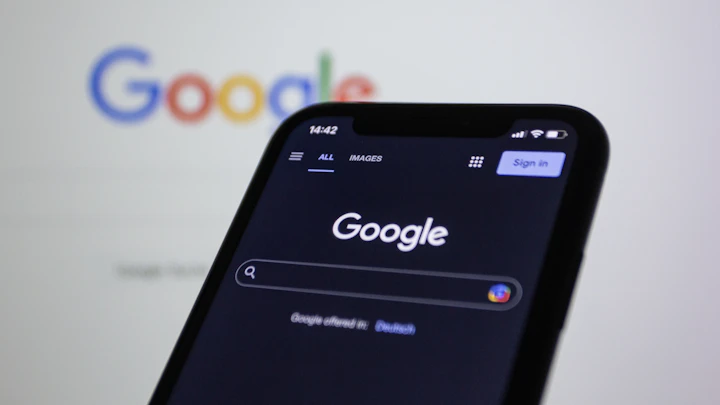
Photo: Vitaly Gariev on Unsplash
When someone searches for "bakery near me" or "dentist in Indiranagar", the first thing they often see is a map and a handful of Google Business Profiles with photos, opening hours and star ratings. For many local businesses, that profile does more work than the website ever will.
It's free to set up, yet many profiles are half-finished, out of date or quietly breaking Google's rules. Here's a checklist to get yours right, based on Google's own guidelines.
1. Get the basics right
Google's guidelines for representing your business set out what your profile can and can't include.
Business name. Use your real-world business name, the one on your shopfront, website and stationery. Don't add extra words such as "Best Bakery in Pune" or "Cakes, Pastries & Coffee". Google says including unnecessary information in your business name isn't permitted and can lead to your profile being suspended.
Address. Use your real, physical location. Google doesn't accept P.O. boxes or virtual offices, and you shouldn't put keywords or URLs in the address lines.
Service-area businesses. If you visit customers (plumbers, electricians, home tutors, cleaning services) rather than having them come to you, Google says you should have one profile for your central location with a service area, and hide your address from customers.
Categories. Choose the fewest categories that describe your core business. Google suggests picking categories that complete the sentence "This business IS a...", and warns against using categories as keywords.
Hours. List your regular customer-facing hours, and update them for holidays. If you close for a season, you can mark the business as temporarily closed rather than leaving wrong hours up.
2. Verify your business
Verification confirms you're the owner or an authorised manager. It's also required for some features: Google says you must verify your business before you can reply to reviews. Follow the steps Google gives you in your profile, which vary by business.
3. Fill in everything that helps a customer decide
- Phone number and website, checked and working.
- A short description of what you do and who you serve, in plain language.
- Products or services with prices where it makes sense.
- Attributes that matter to customers, such as wheelchair access, outdoor seating or payment options.
- Photos: the outside (so people can find you), the inside, your products and your team. Real, recent photos beat stock images.
Think about what a first-time customer wants to know before they visit or call, and answer it on the profile.
4. Collect reviews the right way
Reviews influence whether people choose you, and Google is strict about how you get them.
What's allowed. Google encourages businesses to ask customers for reviews and to share a link or QR code. Practical places to share it include receipts, thank-you emails, WhatsApp follow-ups and a printed QR code at the counter. Customers need to be signed in to a Google Account to leave a review.
What's not allowed. Google's contribution policy says businesses must not:
- Offer incentives, such as payment, discounts or free products or services, in exchange for reviews.
- Selectively ask only happy customers for reviews, or discourage negative ones.
- Pressure customers to write reviews while they're on the premises, or tell them what to say.
That rules out common tactics such as "10% off your next visit for a 5-star review". Breaking these rules can get reviews removed or your profile restricted. Ask every customer the same way, and let them say what they think.
5. Reply to reviews
Google says helpful replies show you're responsive. Reply to as many reviews as you can, especially negative ones:
- Thank people for positive reviews, mentioning something specific.
- For complaints, apologise where it's fair, explain briefly and offer to sort it out offline. Stay calm, and don't argue in public.
- Don't share customers' personal details in your reply.
Future customers read replies as much as reviews. A thoughtful response to a bad review can build more trust than a page of five-star ratings.
6. Keep it fresh
- Update hours for festivals and holidays well in advance.
- Add new photos regularly, especially when you change your menu, products or space.
- Post updates and offers when there's genuine news.
- Check the profile every month for suggested edits from Google or the public, and correct anything wrong.
7. Measure what it does
Your profile shows performance data such as how people found you and the actions they took (calls, website visits, direction requests). Track these monthly. For website visits, add UTM parameters to your profile's website link so you can see that traffic separately in your analytics. Our Search Console guide covers the website side of search.
The checklist
- Business name matches the real-world name, with no added keywords.
- Address is a real location, or hidden if you're a service-area business.
- Fewest accurate categories chosen.
- Hours correct, including holidays.
- Profile verified.
- Phone, website, description, services and attributes complete.
- Real, recent photos added.
- Review link or QR code shared with every customer, with no incentives.
- Replies to recent reviews, especially negative ones.
- Monthly check for edits, hours and performance.
Small effort, local results
A complete, honest, well-maintained Google Business Profile is one of the most cost-effective marketing tools a local business has. It takes an afternoon to set up properly and a few minutes a week to keep current. For a wider look at your site's search health, use our SEO audit checklist.
Want help getting found by local customers? AgniCorp Media helps local businesses build search visibility that brings people through the door.

Muskan Agarwal is Head of Content at State of Marketing and co-founder of AgniCorp Media, where she leads digital marketing strategy across blogs, podcasts, newsletters and social channels. How we write and review articles.